

This feature is in Beta. We’d love your feedback as we continue to improve it.
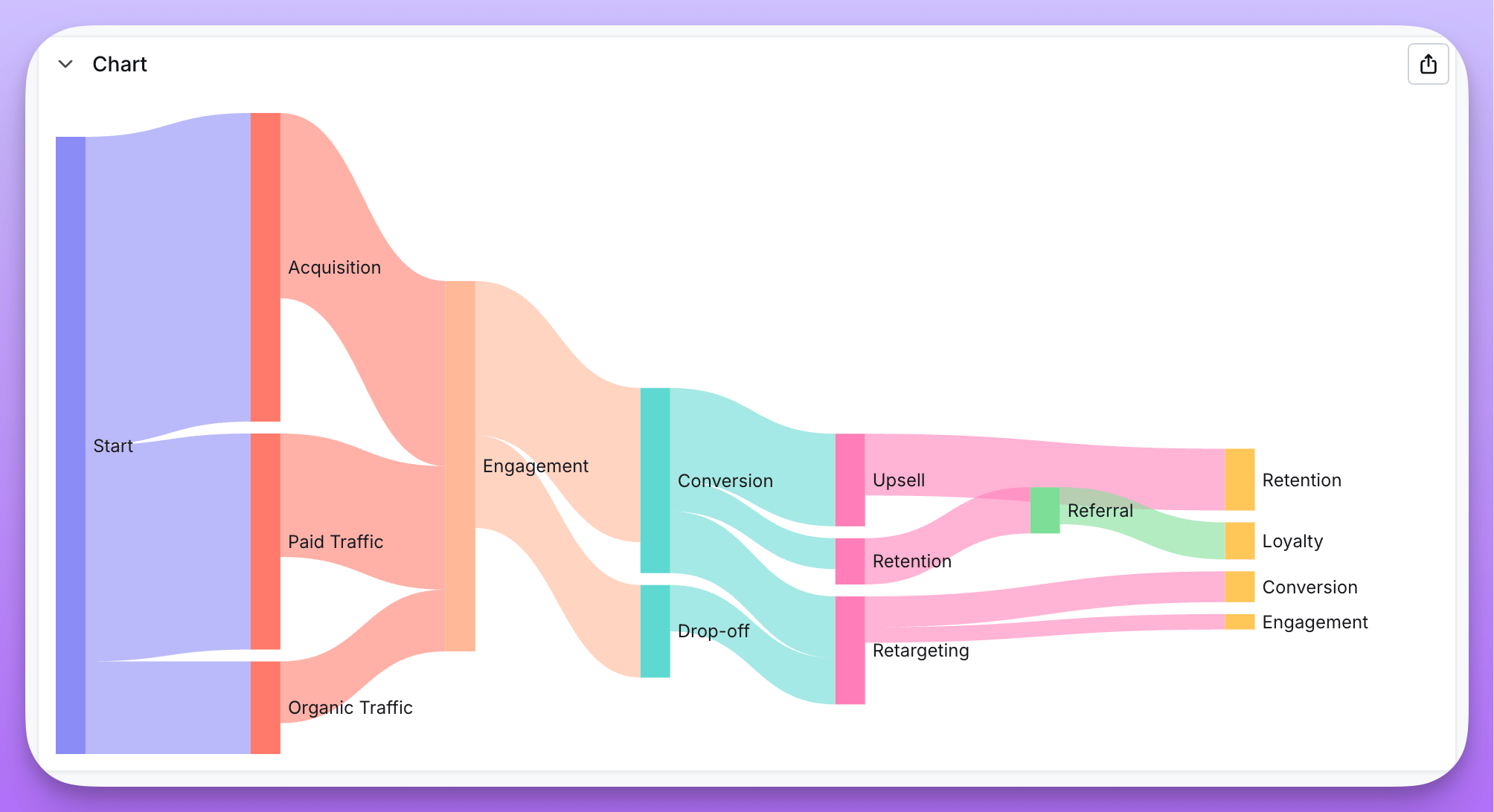
- You want to show how values flow between categories (e.g., marketing channels → conversions)
- You’re visualizing multi-step processes or funnels
- You need to understand distribution across interconnected stages
- You have cyclical flows that loop back (e.g., retargeting → conversion → retargeting)
Data requirements
Sankey charts require three columns in your data:
Each row in your data represents a flow from one node to another, with the weight determining the thickness of the connection.
Creating a Sankey chart
- Run a query with your source dimension, target dimension, and weight metric
- Select Sankey from the chart type picker
- In the configuration panel, assign:
- Source — the dimension representing flow origins
- Target — the dimension representing flow destinations
- Value — the metric determining flow size
Features
Multi-step flows
Sankey charts automatically handle nodes that appear as both sources and targets, creating multi-level visualizations. For example, if “Email” appears as a target from “Ad Click” and as a source to “Purchase”, the chart will show the full flow path.Cyclical flows
Unlike traditional Sankey implementations, Lightdash supports cyclical data where flows can loop back. For example, in a retargeting funnel:- Awareness → Consideration
- Consideration → Conversion
- Conversion → Retargeting
- Retargeting → Conversion (loop)
Node layout
The Node layout option controls how a label that appears at more than one depth is rendered. For funnels where a single stage is reached from several preceding steps, the default can make one real stage look like several different nodes, so you can choose between three layouts:- Multi-step (default) — Each occurrence of a label at a different depth is rendered as a separate node, including cycles, which become “Step N” instances as described above. This preserves the full journey.
- Merged — Collapses nodes that share a label into a single node, so all flows in and out of that label converge on one node while the multi-step journey is preserved. Available for acyclic flows only; when your data contains a loop the option is disabled and the chart falls back to multi-step.
- Direct — Shows only direct source → target flows in two columns, with no multi-step chaining. A label that is both a source and a target appears once on each side. This works for any data, including cyclical flows.
Display options
- Orientation — Display flows horizontally (left to right) or vertically (top to bottom)
- Node alignment — Align nodes to the left, right, or justify across the chart
- Node layout — Choose how nodes are arranged: Multi-step (depth-based journeys, the default), Merged (one node per label, acyclic flows only), or Direct (two-column source → target only)